FREE Sketch Flute Icon — Clean, Scalable & Versatile
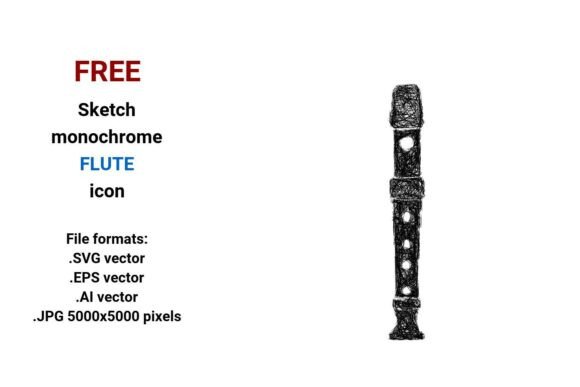
If you're designing a music-themed website, creating educational handouts, building an app interface, or launching a small business around lessons or instruments, a well-crafted visual element can make all the difference. The FREE Sketch Flute Icon delivers exactly that: a hand-drawn, minimalist representation of a concert flute — clean enough for modern UI, expressive enough to convey artistry and authenticity.
What Makes This Flute Icon Stand Out?
This isn’t just another generic flute graphic. It’s a sketch-style vector icon — drawn with intentional imperfection to feel human, approachable, and creative. Think of it as a pencil sketch captured digitally: light lines, subtle curves, gentle tapering, and thoughtful negative space. It represents the concert flute specifically — not a panpipe or recorder — with accurate proportions and recognizable silhouette.
Because it’s built as a vector image, every detail is defined by mathematical paths rather than pixels. That means whether you’re printing it on a 4'×6' poster or using it as a tiny 24px button in a mobile app, the lines stay crisp and smooth. No blurriness. No pixelation. Just clarity at any scale.
Four Formats, One Flexible Tool
You’ll receive the FREE Sketch Flute Icon in four widely supported file formats:
- .SVG — Perfect for websites, blogs, and digital interfaces. Loads fast, works with CSS animations, and scales infinitely in browsers.
- .EPS — Ideal for professional print designers using older Adobe or Corel software. Great for brochures, flyers, or vinyl decals.
- .AI — Native Adobe Illustrator format. Best if you need to edit anchor points, adjust stroke weight, or recolor elements directly.
- .JPG (5000×5000 px) — High-resolution raster version. Useful for presentations, social media banners, or when vector support isn’t available — like certain email clients or basic CMS platforms.
All versions are black and white, making them easy to recolor, layer, or integrate into any palette — from muted pastels to bold monochrome themes.
Who Benefits Most From This Icon?
A wide range of people find real value in this resource — especially those who need something expressive but efficient.
Educators use it in lesson plans, worksheets, or classroom posters about woodwind instruments. A simple sketch flute icon helps students connect visual cues with musical concepts without distraction.
Music teachers and freelancers add it to their websites or booking forms — perhaps as a subtle button labeled “Book a Flute Lesson” or next to service descriptions. Its sketchy, friendly style feels personal and warm, not corporate or cold.
App and UI designers appreciate how cleanly it fits into navigation bars, toolbars, or category filters. As a flute button or tab icon, it communicates function instantly — no text needed.
Bloggers and content creators drop it into infographics comparing woodwind families, or pair it with quotes about practice, breath, or expression. Its line art aesthetic complements hand-lettered headings and soft photography beautifully.
Even small business owners — say, someone selling handmade flute stands or custom sheet music covers — use it on packaging labels, Instagram highlights, or Etsy shop banners. It adds cohesion without demanding attention.
Real-World Uses You Can Try Today
- Add the SVG to your WordPress site’s header as a decorative accent beside your “Lessons” menu item.
- Import the AI file into Canva or Figma, change the stroke color to match your brand, and drop it onto a social media post announcing a new masterclass.
- Print the EPS version at large scale on a foam board for your studio wall — a quiet, elegant nod to your instrument of choice.
- Use the JPG in a Google Slides presentation for a music history talk — its high resolution ensures clarity even when projected.
Things to Keep in Mind Before You Use It
While the FREE Sketch Flute Icon is incredibly versatile, a few practical notes help you get the most out of it:
- It’s black and white only — so if you need color variants (like gold for a luxury brand), you’ll need to recolor it yourself in Illustrator or similar tools.
- No licensing restrictions for personal or commercial use, but always double-check the source for attribution requirements — many free resources ask for a simple link back.
- Vector files require compatible software — if you’re unfamiliar with Illustrator or Inkscape, start with the JPG or SVG, which open in most free programs and browsers.
- It’s designed for clarity, not realism — don’t expect photorealistic detail. Its strength lies in simplicity, rhythm, and symbolic recognition — perfect for icons, buttons, and design elements.
Why “Sketch Style” Works So Well for Music Icons
Music is deeply human — full of breath, motion, emotion, and nuance. A rigid, geometric icon can feel stiff beside something as fluid as playing a flute. A hand-drawn symbol, however, echoes the organic gesture of drawing a breath, shaping a phrase, or sketching ideas in a notebook. That’s why this icon resonates across contexts: it subtly signals creativity, learning, and expression — not just instrumentation.
Whether you call it a pencil sketch icon, a doodle icon, or simply a minimalist flute icon, its appeal comes from balance — structure and spontaneity, precision and personality, tradition and freshness.
Ready to Bring Your Project to Life?
The FREE Sketch Flute Icon is more than decoration. It’s a small but meaningful bridge between idea and execution — whether you’re launching a new teaching platform, designing a festival program, or just want your Pinterest board to feel cohesive and intentional. With four formats, woodwind accuracy, and true scalability, it’s built to grow with your needs — from first draft to final delivery.
And because it’s rooted in real musical context — the concert flute, part of the broader woodwind family — it supports authenticity, not just aesthetics. That matters, especially when your audience includes students, performers, or lifelong learners who recognize and appreciate thoughtful detail.